Let customers book a visit right in the chat
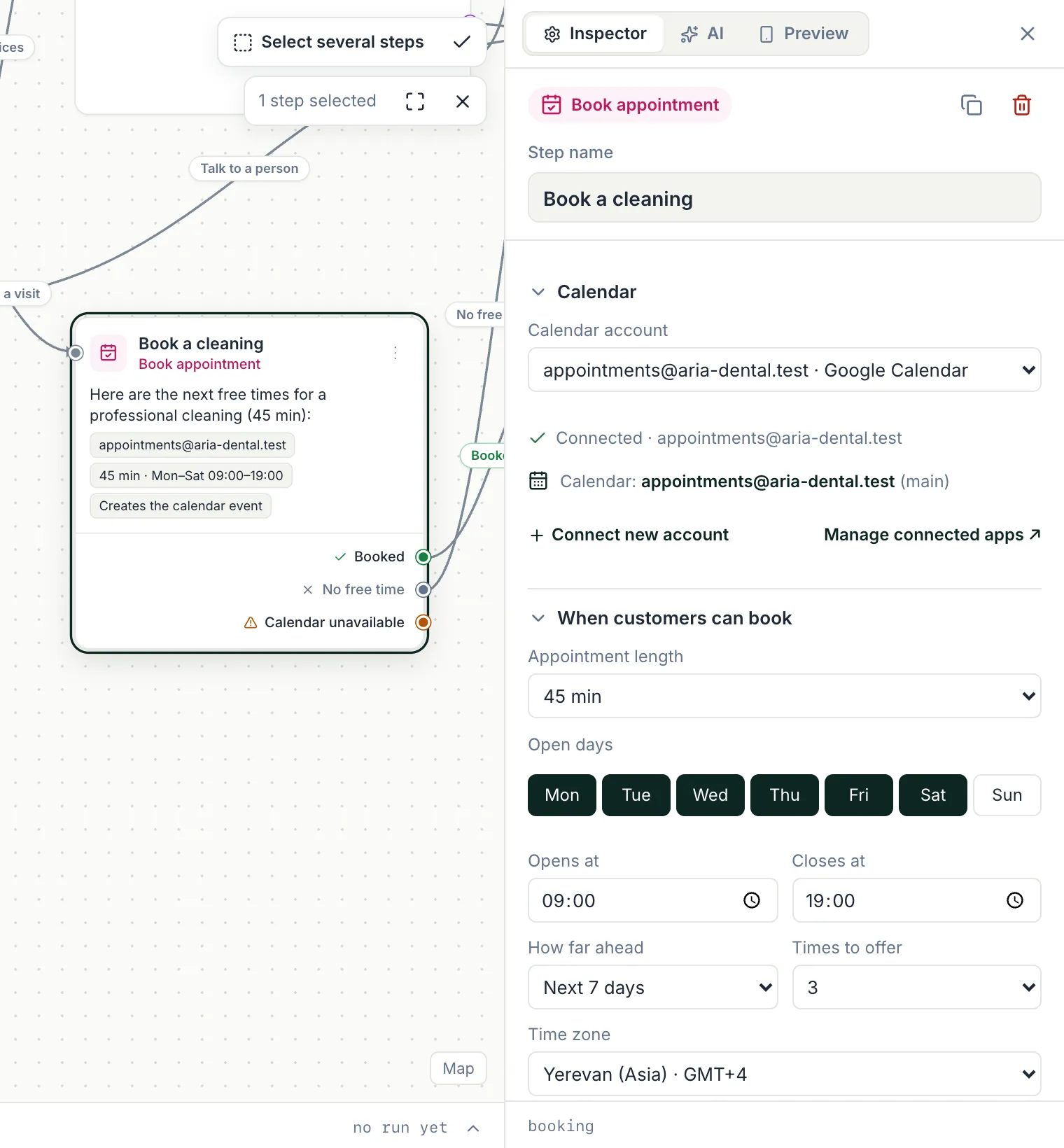
The Book appointment step reads free times from your Google Calendar, offers them as buttons and creates the event when the customer picks one — any time of day, on any channel.
- Free times from your calendar
- Working days, hours and duration
- Event created automatically
I'd like to book a check-up
November 2026
Choose a time
November 17
Illustrative availabilityYour calendar decides what's free
Connect Google Calendar and set working days, hours, visit length and how many days ahead to offer. The chatbot shows only real free times, re-checks the slot before confirming and creates the calendar event.
- Google Calendar connection
- Days, hours, duration and range
- Slot re-checked before booking
A booking flow in three steps
- 01
Ask what they need
Buttons or an AI step find out the service and any details.
- 02
Offer free times
Book appointment shows the next available slots as buttons.
- 03
Confirm and follow up
The event is created, a lead goes to the CRM, and a reminder sequence can follow.
Everything around the appointment
Reminders
Send a reminder before the visit with a sequence, to contacts who agreed.
Lead in the CRM
Create a deal for each booking so nothing gets lost.
Team handoff
Unusual requests go to a person with the full conversation.
Google Sheets log
Keep a simple spreadsheet of every booking request.
Booking questions
Which calendars are supported?
Google Calendar is fully supported for booking. Microsoft (Outlook/365) and Apple iCloud calendars can also be connected for calendar steps (beta).
Can customers book at night or on weekends?
Yes. The chatbot answers any time and offers only the slots inside the working days and hours you set.
Is this a full scheduling system?
It books into your calendar from the chat. Rescheduling rules, staff calendars and payments for appointments are handled in your calendar or by your team.
Keep exploring
Take bookings while you sleep
Connect your calendar and let customers pick a time in WhatsApp, Instagram, Messenger or Telegram.