Turn chats into leads you can follow up
Every conversation creates or updates a contact. Workflows add leads and deals to the built-in Hosqi CRM, so you see what's new, what's waiting and what's won — without retyping anything.
- Pipelines and deals
- Tasks and follow-ups
- CSV import and export
New request1
In progress0
Confirmed0
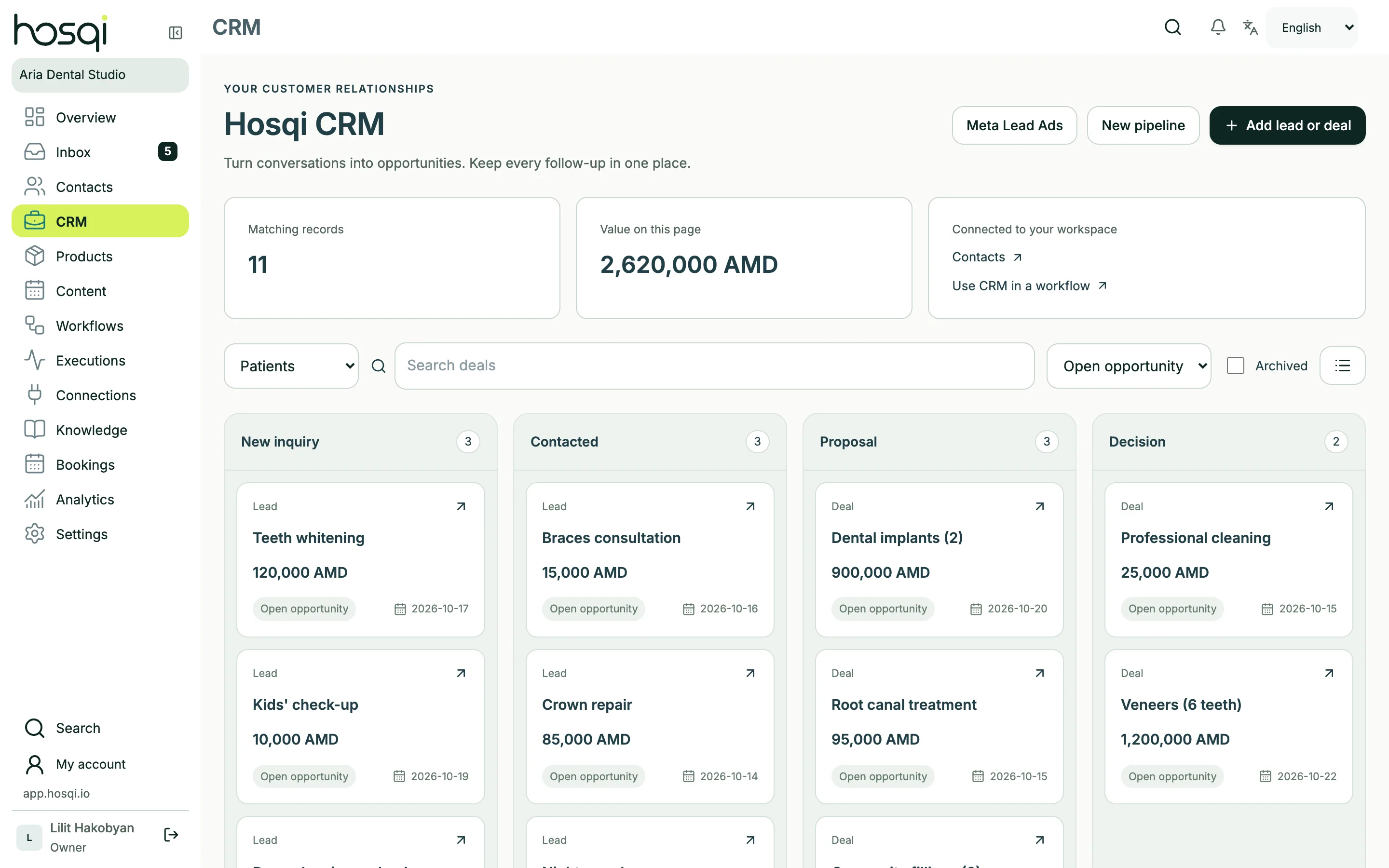
A board that fills itself
Set up the stages of your sales or booking process. Workflow steps create a lead or deal when a customer asks for a price or books, move deals between stages and add notes and tasks for your team.
- Board and list views
- Amounts, currencies and assignees
- Won and lost tracking
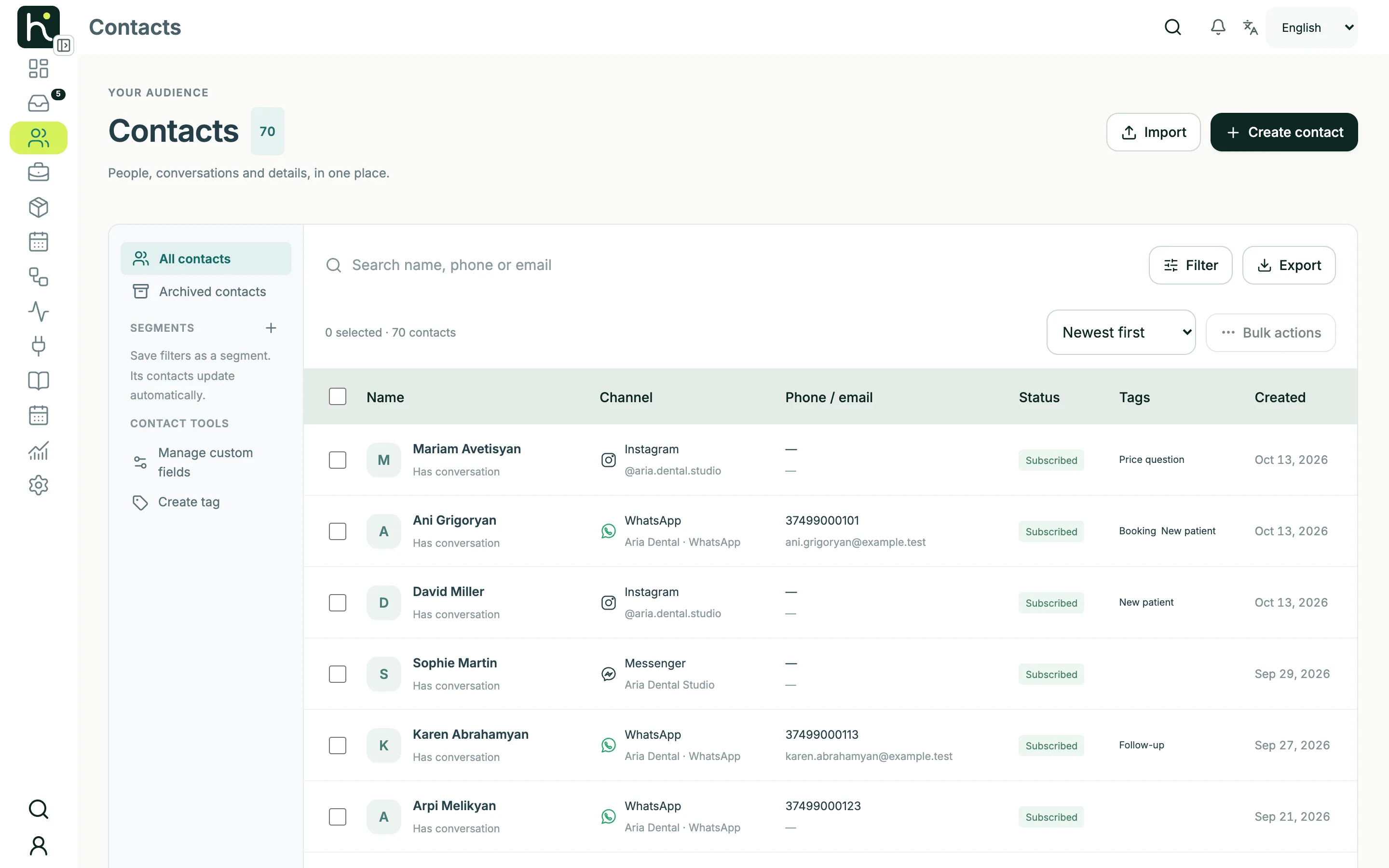
One profile per customer, across channels
Contacts keep the details you collect: tags, typed custom fields, messaging consent and conversation history. Find people with conditions, save segments and run bulk actions.
- Tags, custom fields and segments
- CSV import with column mapping
- Bulk tag, subscribe or pause automation
Works with the rest of your tools
Google Sheets
Append a row for every new lead or look up data in a sheet.
Google Calendar
Create the calendar event for every booking the chatbot takes.
Webhooks and API calls
Send data to your own systems or start workflows from them.
CRM questions
Which plans include the CRM?
Contacts and the CRM pipeline with leads and deals are included in every plan.
Can I import my existing contacts?
Yes. Upload a CSV file (UTF-8, up to 2 MB), map the columns and check the preview before importing. You can export contacts to CSV at any time.
Can I keep using my current CRM?
Yes. Workflows can add rows to Google Sheets or send leads to your own system with a webhook or API call. HubSpot and Pipedrive steps are available in beta; they send data one way, from Hosqi to the CRM.
Keep exploring
Never lose a lead in a chat again
Let your workflows fill the CRM while your team focuses on the conversations.