Build your chatbot on a visual canvas
Drag steps, connect them and publish. Messages with buttons, questions, conditions, AI, calendar bookings and CRM actions — for WhatsApp, Instagram, Messenger and Telegram, without writing code.
- Ready-made templates
- Builder AI drafts from your description
- Free private testing
Customer picks a time → appointment in your calendar
Every step a conversation needs
Combine steps from the library. Each one is configured in plain language in the side panel.
Messages and buttons
Text with variables, quick-reply buttons, WhatsApp lists, images, video and files.
Questions
Ask for a name, phone or email, validate the answer and save it to the contact.
Conditions and routes
Branch on answers, tags or fields, or split traffic randomly to compare versions.
AI steps
Let AI talk until it has what you need, answer from your knowledge base or detect intent.
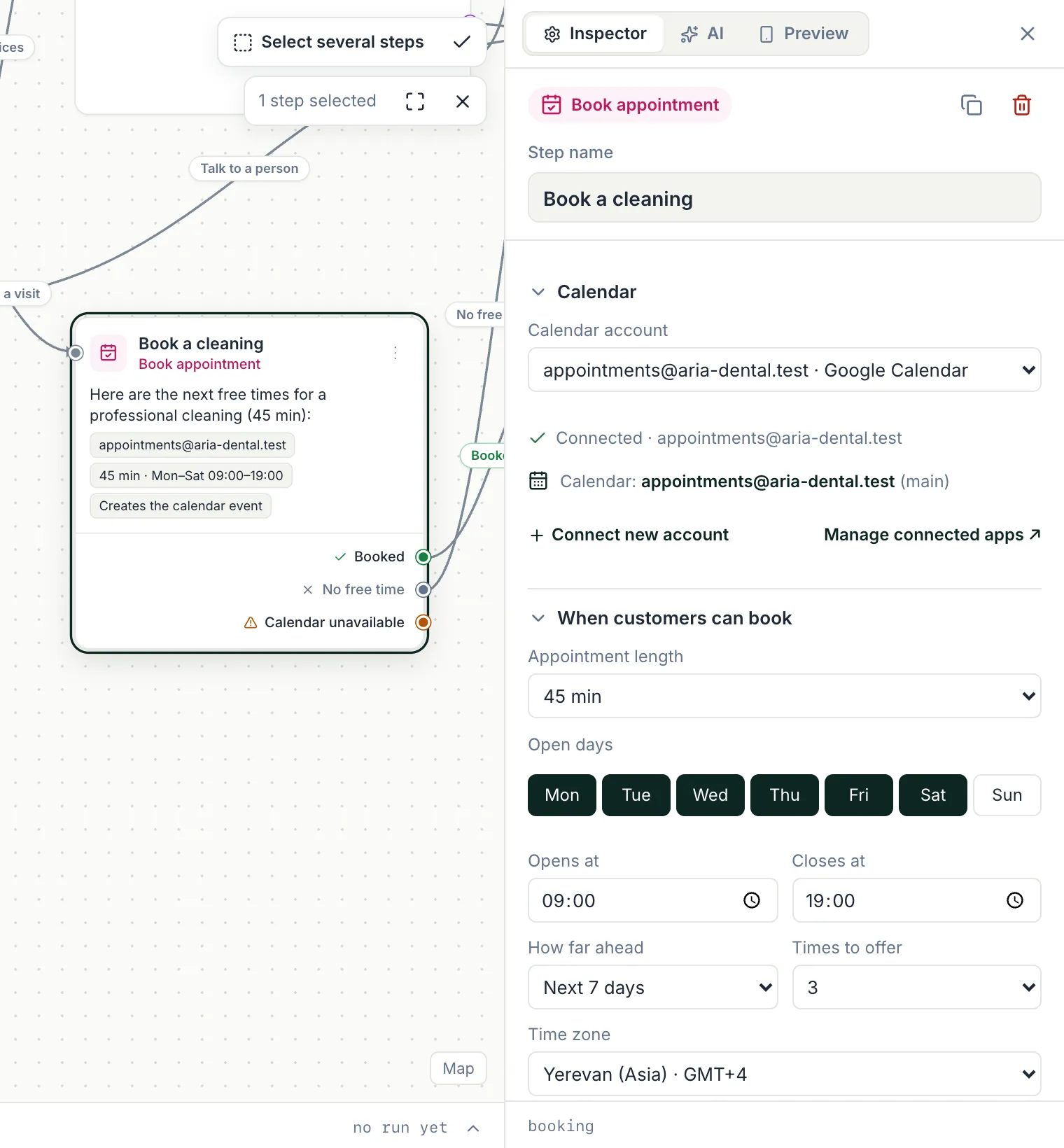
Book appointment
Offer free times from your calendar as buttons and create the event.
CRM and apps
Create a lead or deal, add a row to Google Sheets, send an email or call an API.
Waits and timing
Wait minutes or days, or until business hours, before the next step.
Handoff
Pass the chat to a person or a team queue and notify your team.
Sequences
Schedule follow-ups and reminders for contacts who opted in.
Start a workflow at the right moment
A workflow can start on a keyword, on any new message, when a contact is created or a tag is added, on a date or schedule, or from another system through a webhook. Click-to-WhatsApp ads and wa.me links can start their own flows.
- Keywords and new messages
- Tags, fields and dates
- Webhooks from your other tools
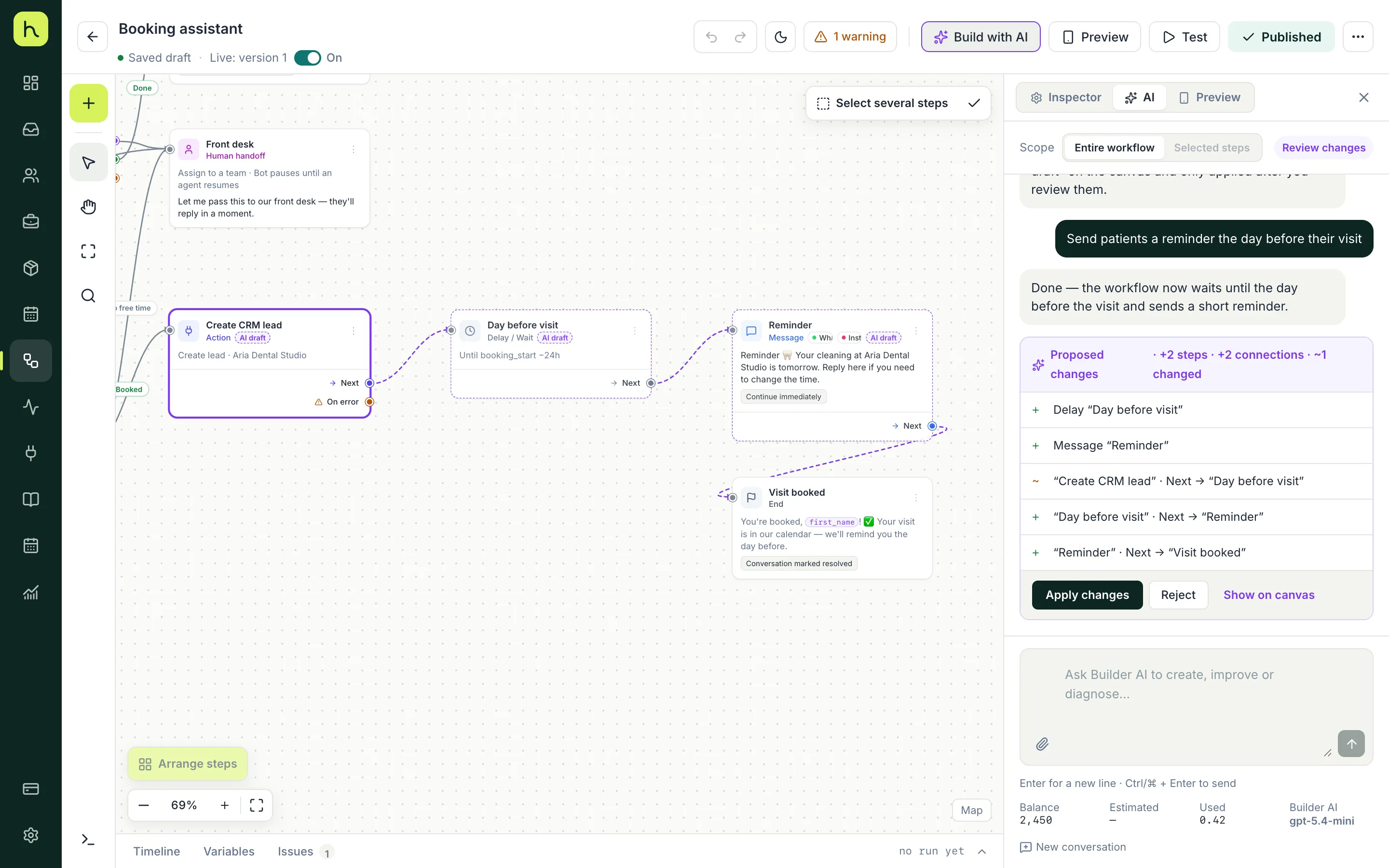
Describe it, review it, publish it
Tell Builder AI what the chatbot should do in a few sentences. It asks clarifying questions, shows a short plan and builds the workflow stage by stage. You review every proposed change and apply or reject it.
- Plain-language description
- Clarifying questions and a plan
- You approve every change
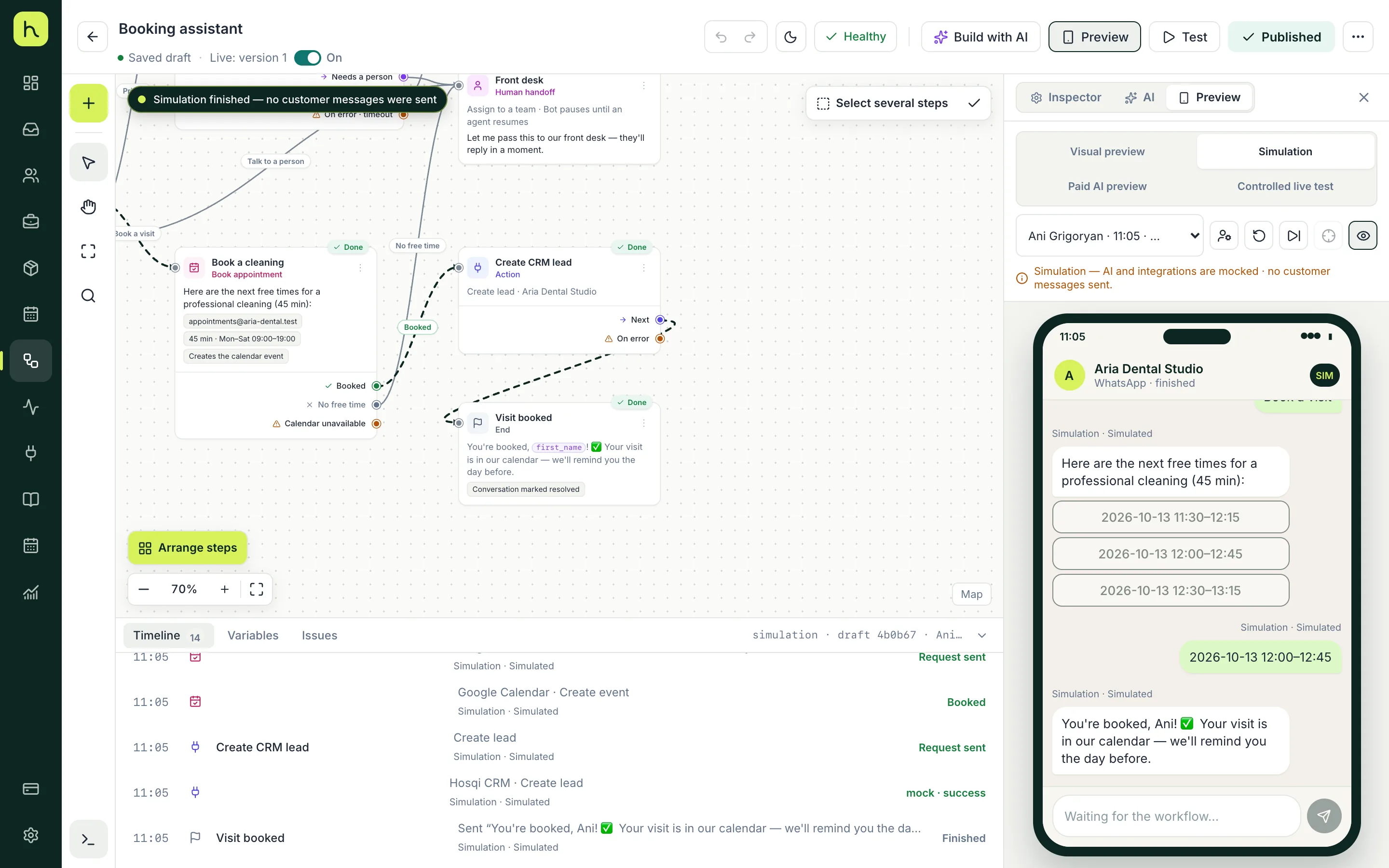
Try it as the customer before anyone else does
Run a private simulation for free: reply as the customer and watch each step light up on the canvas. AI and connected apps are simulated, so nothing is sent. When you're ready, run a live test with approved testers and publish.
- Free private simulation
- Live test with approved testers only
- Versions on publish, with a separate on/off switch
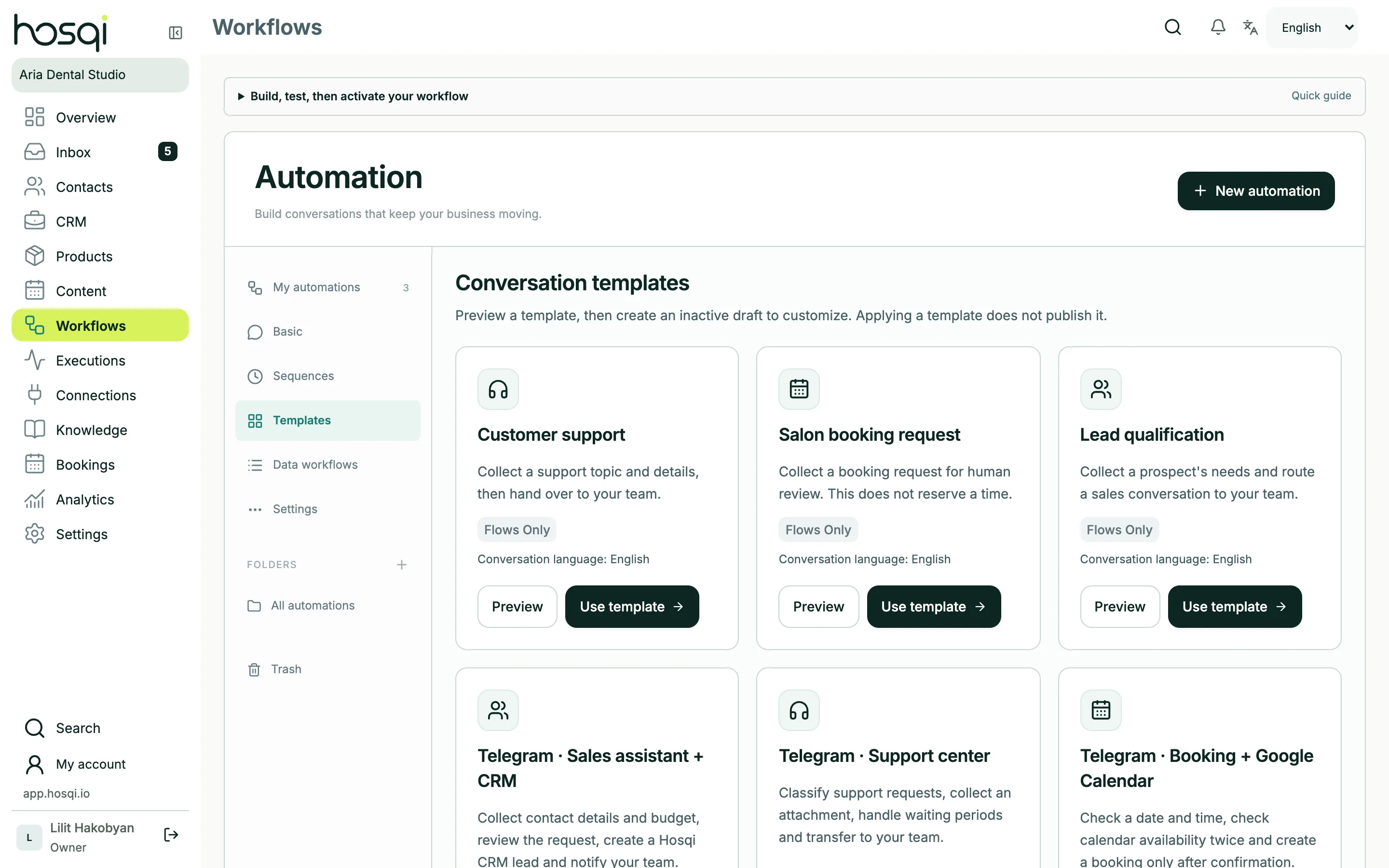
Start from a ready-made template
Customer support, booking requests, lead qualification and more. Preview a template, create your own copy and adjust the texts and steps.
Three steps to your first chatbot
- 01
Start from a template or a description
Pick a template like support or booking, or let Builder AI draft one.
- 02
Adjust texts and steps
Change messages, buttons and rules in the side panel. Autosave keeps your work.
- 03
Simulate and publish
Test privately, fix anything the issue list shows, then publish and switch it on.
Workflow builder questions
Do I need a developer?
No. Everything is configured in a visual editor with plain-language settings. Webhooks and API calls are there if you have a developer, but they are optional.
How many workflows can I have?
Active automations are 3 on Start, 10 on Grow, 30 on Business and unlimited on Pro. You can keep extra drafts — up to twice your active limit.
Can one workflow run on several channels?
Yes. A workflow can answer on WhatsApp, Instagram, Messenger and Telegram. Steps that only exist on one channel, like WhatsApp lists, are marked in the editor.
Does testing cost AI credits?
The private simulation is free — AI is simulated. An optional AI preview uses real AI and shows the credit cost before it runs.
Keep exploring
Publish your first chatbot today
Start from a template, test it privately and switch it on when it's ready.