All your customer chats in one shared inbox
WhatsApp, Instagram, Messenger and Telegram messages land in one list. Your team assigns, labels and answers them together — with the customer's history right next to the chat.
- 4 messaging channels
- Notes, labels and reminders
- Works in your phone's browser
The conversation and its context stay together.
Everyone knows who answers what
Assign a conversation to a teammate or to a team queue. Round-robin assignment spreads new chats evenly, and filters show what is yours, what is unassigned and what is still unread.
- Assign to a person or a team, with round robin
- Filter by channel, status, assignee or label
- Save your favourite filters as views
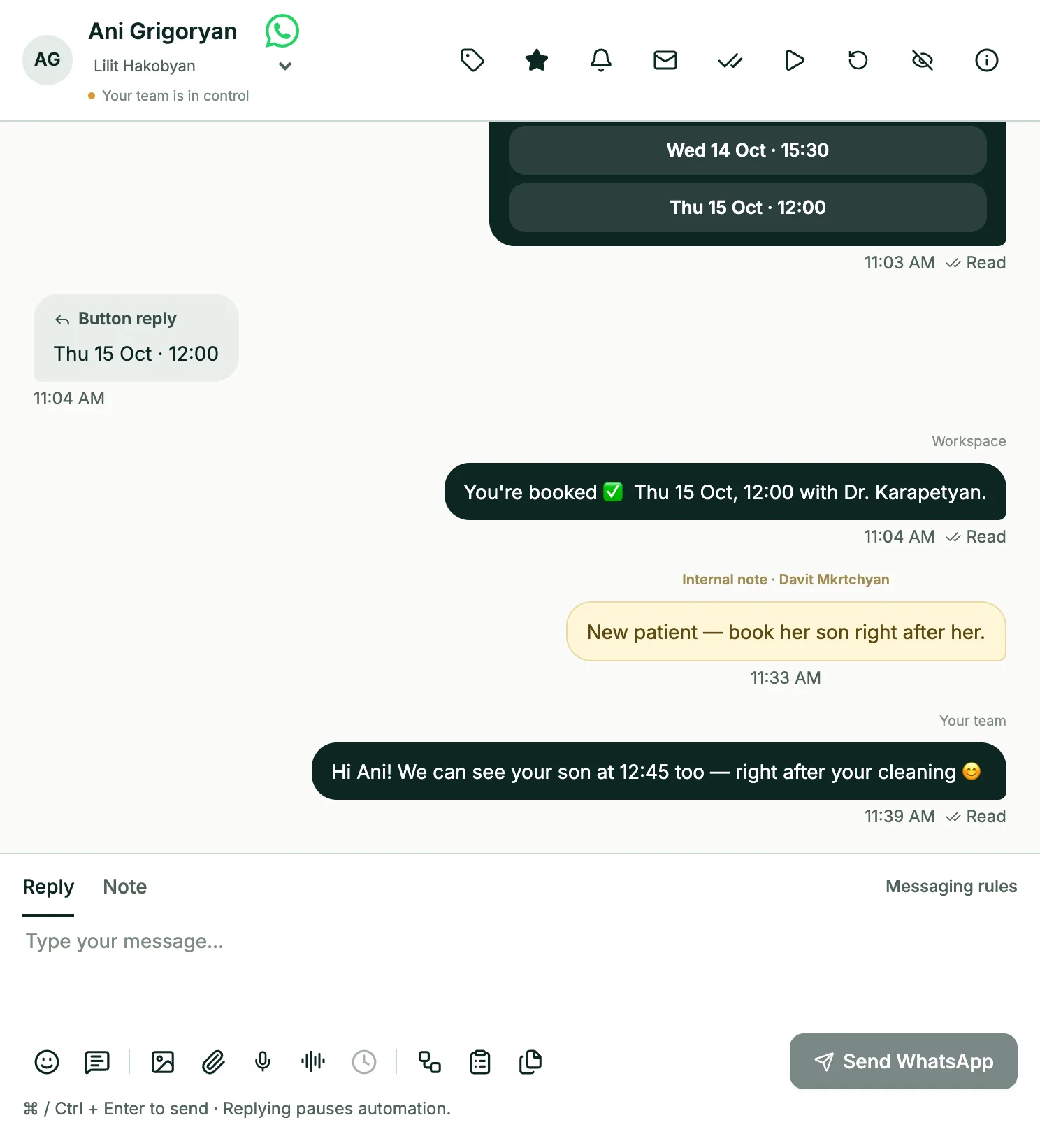
Take over from the bot in one click
Workflows answer the routine. When a customer asks for a person, the chat is marked as waiting for your team. Reply yourself and the automation pauses for that chat; resume it or restart the workflow when you're done.
- Clear status: “Needs your team”
- Automation pauses while you reply
- Resume or restart with one click
Bloom Beauty Studio
Instagram · Direct
Small tools that save hours
Saved replies
Keep answers to common questions ready and insert them in two clicks.
Scheduled replies
Write now and send later — from 30 seconds to 7 days ahead.
Internal notes
Leave a note for colleagues inside the chat. Customers never see it.
Labels
Mark conversations as “Booking”, “Price question” or anything your team needs.
Favourites and reminders
Star important chats and set a reminder to follow up later.
Voice notes as text
Incoming WhatsApp voice messages are transcribed in Armenian and English.
The full story next to every chat
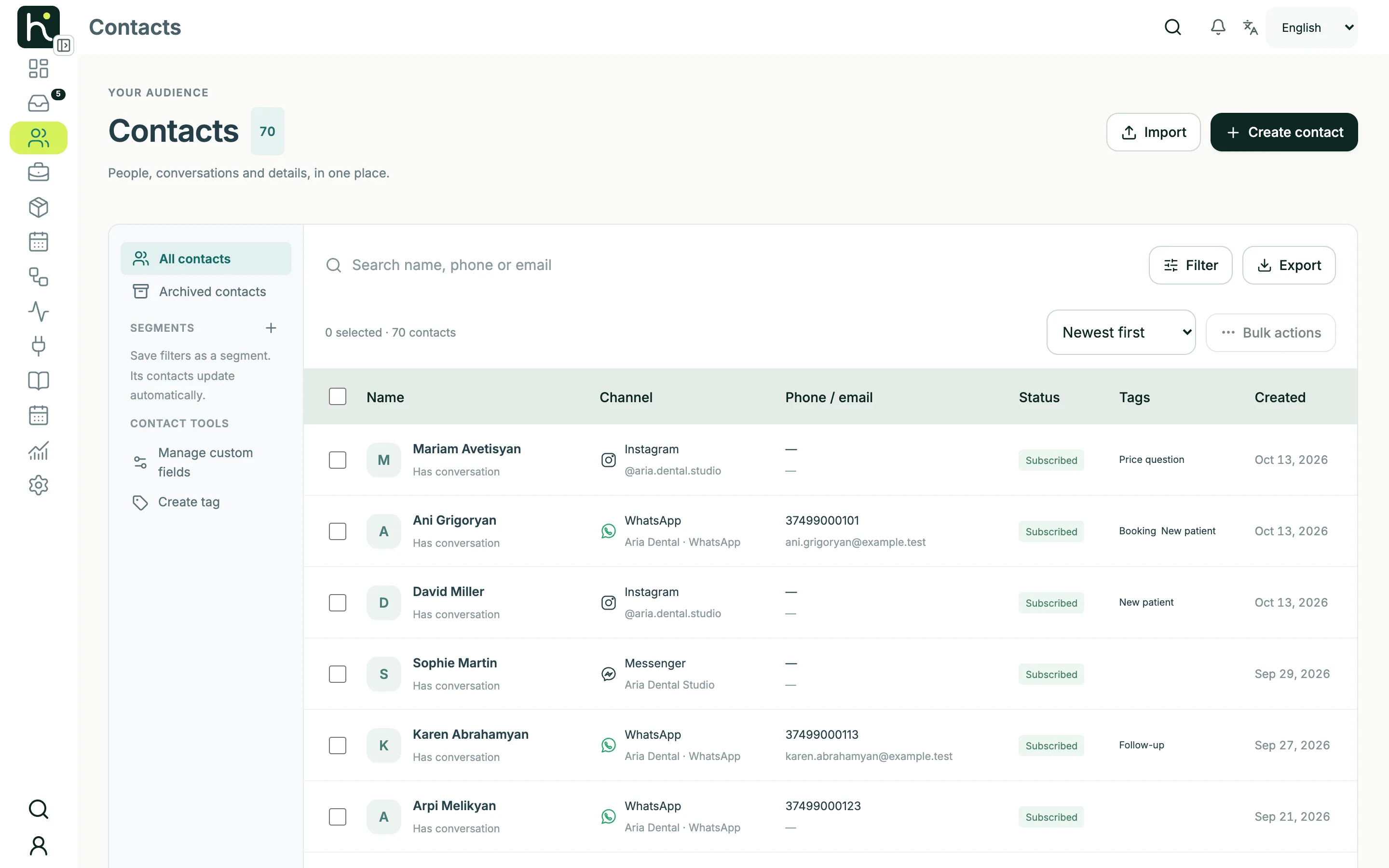
Open the contact panel to see details, tags, custom fields, messaging consent and past conversations. Edit them without leaving the chat, and every workflow can read and update the same fields.
- Tags and custom fields
- Messaging consent per contact
- History across channels
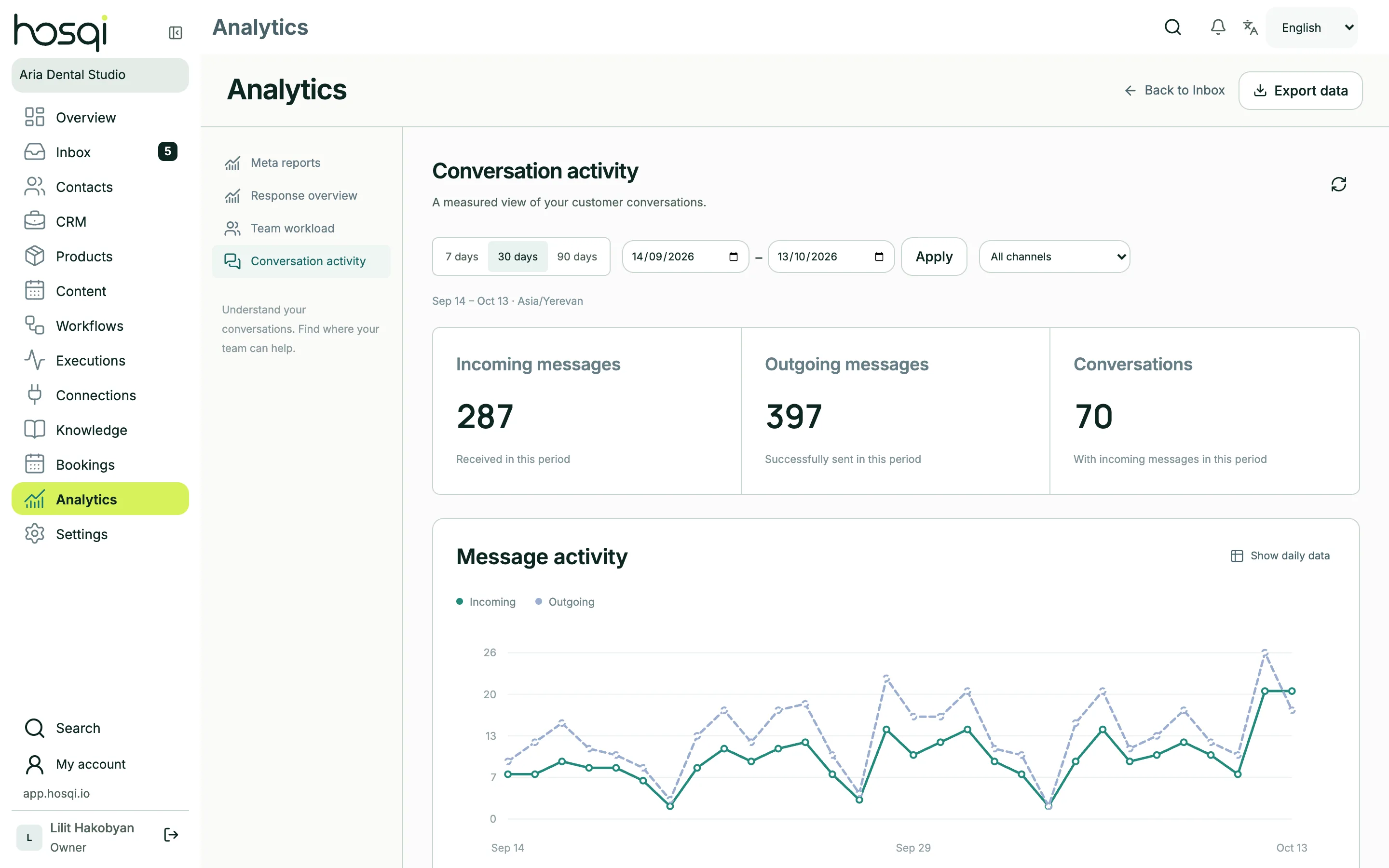
See how fast your team answers
Track the response rate, first-reply time, team workload and messages by channel for the last 7, 30 or 90 days, and export the data when you need it. Analytics is included in Grow, Business and Pro.
- Response rate and first-reply time
- Workload per teammate
- Messages and conversations by channel
Built for real conversations
- Send photos, videos, files and voice messages
- Open received PDFs and documents in the browser
- Edited and deleted customer messages update in place
- Browser notifications and sounds for new messages
- Compact or comfortable list view
- Resolve several conversations at once
Shared inbox questions
Which channels come into the inbox?
WhatsApp (through the official Business Platform), Instagram Direct, Facebook Messenger and Telegram bots. All of them appear in the same list with their channel mark.
Is there a mobile app?
Hosqi works in the browser on your phone, tablet or computer — there is nothing to install. The inbox adapts to small screens.
How many teammates can use the inbox?
Start includes 1 user, Grow 3, Business 5 and Pro 10. Each person signs in with their own account and role.
Keep exploring
Give your team one place for every chat
Connect your first channel in minutes and see every conversation in one inbox.